
Make a one-time or “guest payment” if you aren’t ready to enroll for Climb Online Banking or the Loan Payment Center.
Visit the Guest Payment Portal to make a one-time payment using a checking or savings account or make a one-time payment using an external debit card.
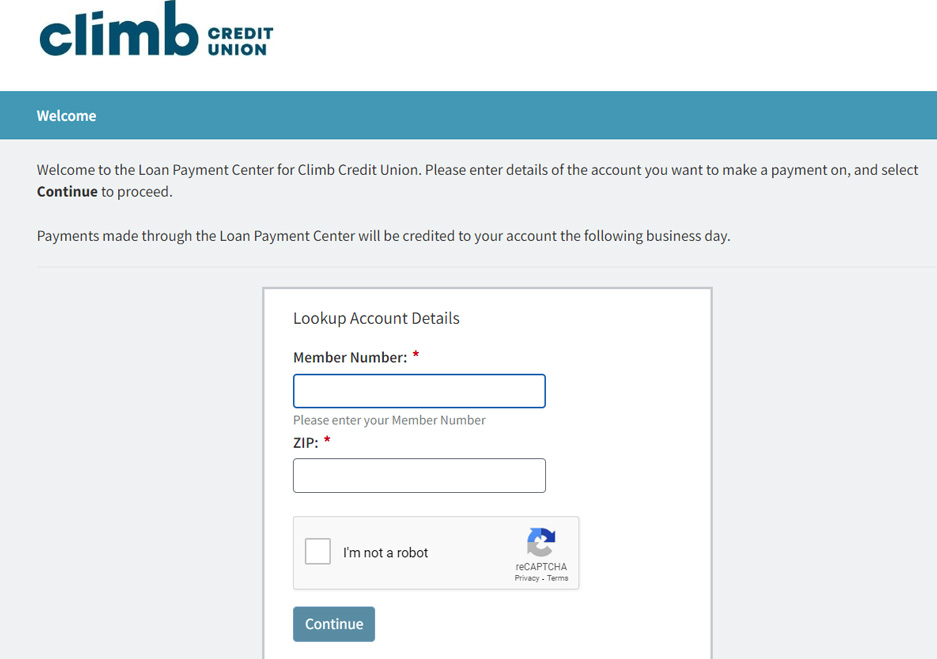
Enter your member number (account number) and ZIP code. Click Continue.
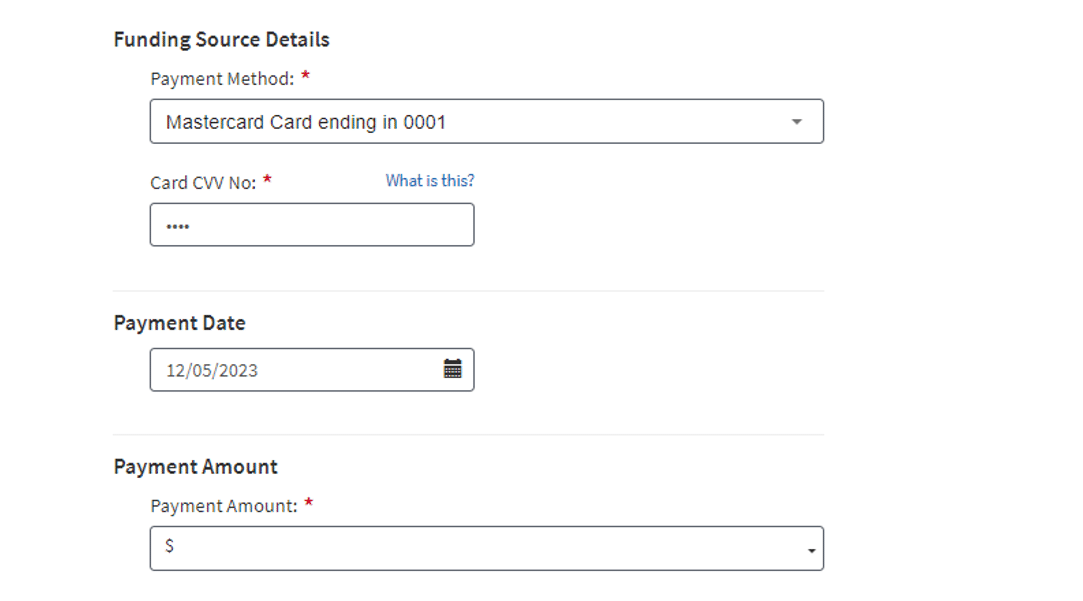
Your loan details will load. Select the Payment Method you wish to use for the loan payment or add a new Bank Account or New Card Account. (There is a $12 fee when using a debit card.)
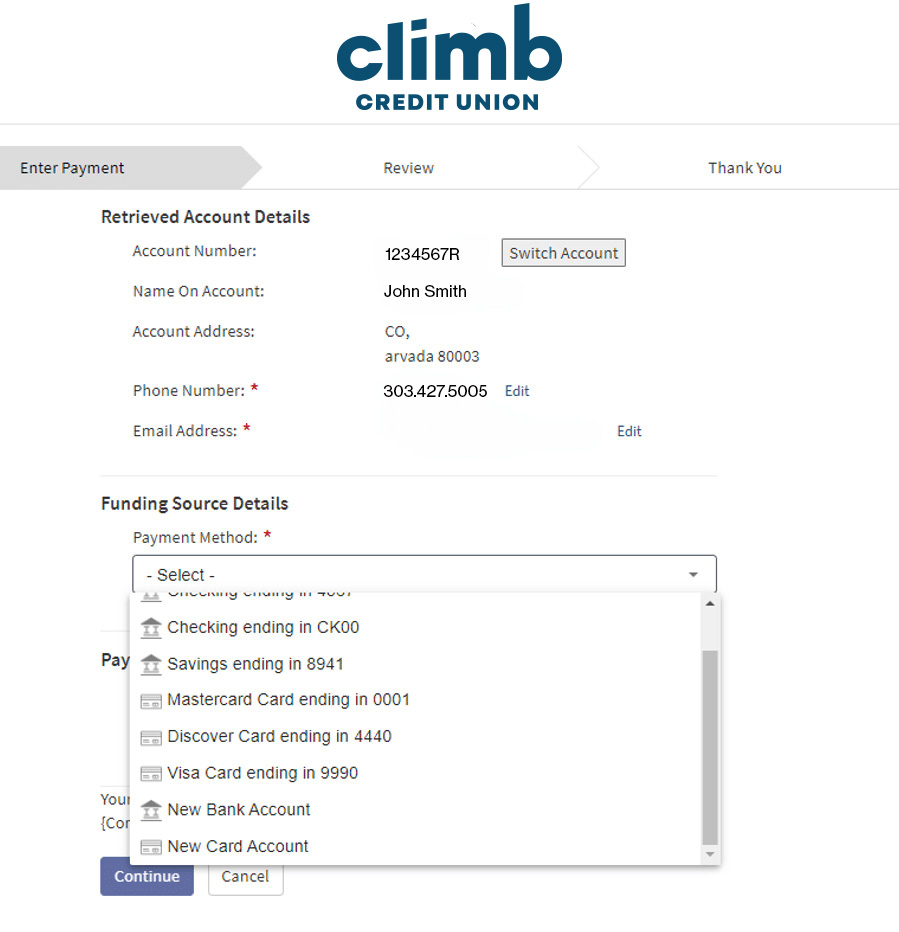
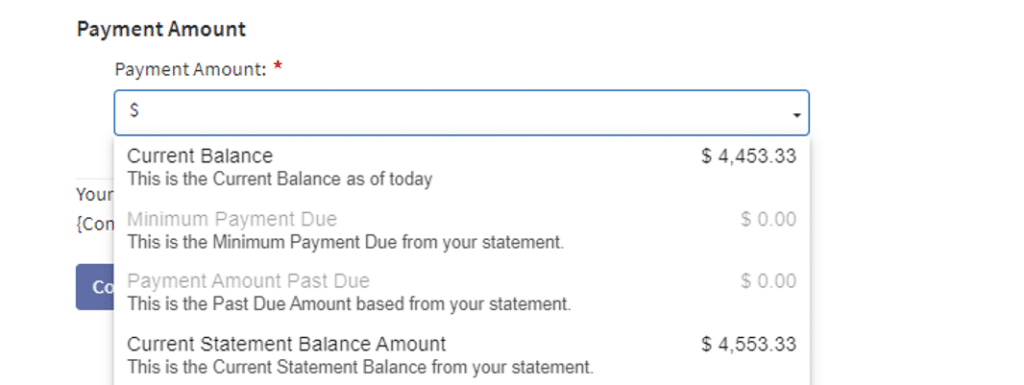
After selecting the Payment Method, select your Payment Date and Payment Amount. When finished, select Continue. (You’ll be able to review the information in the next step.)
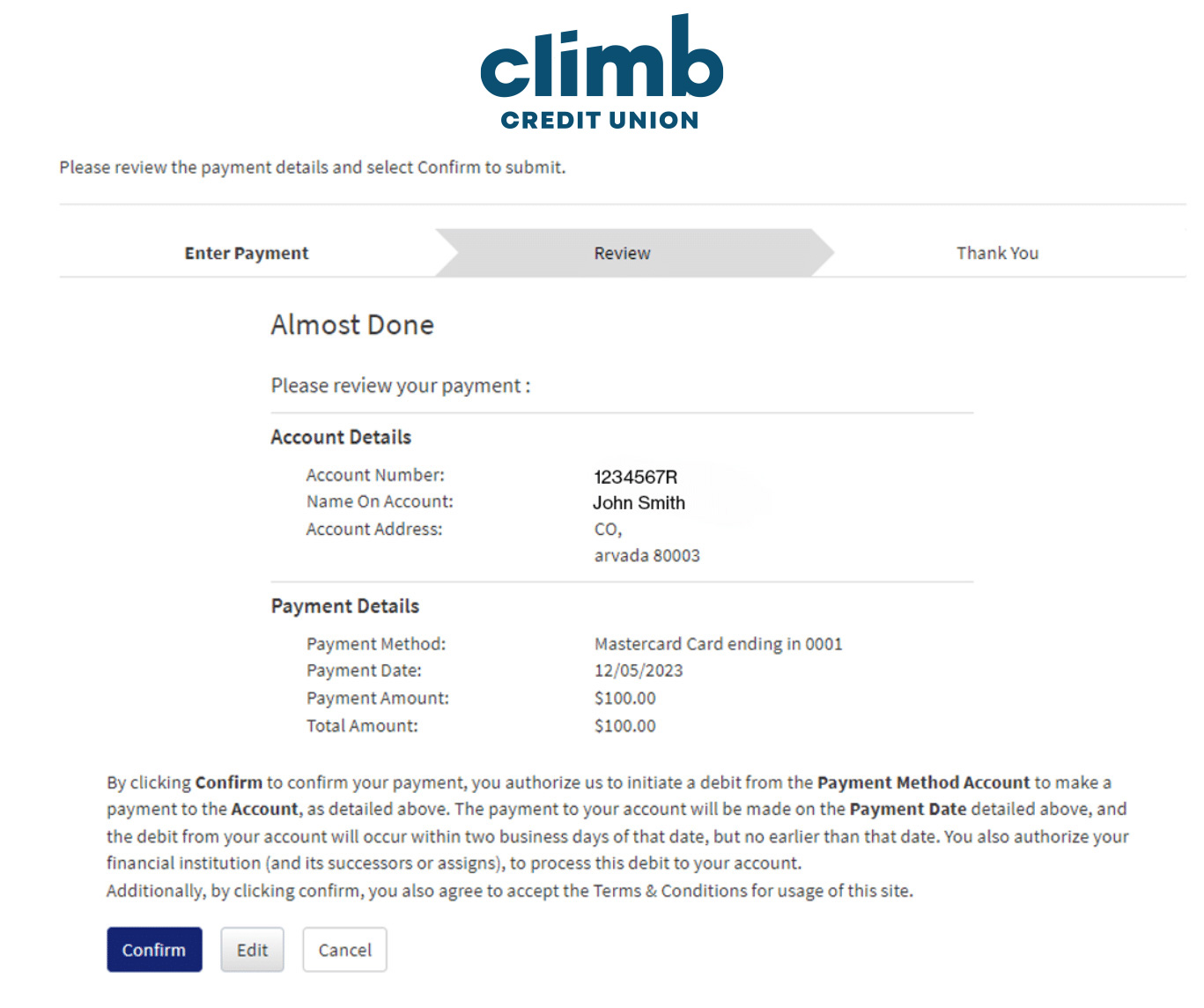
Review your payment details and select Confirm to process the payment.
That’s it! You’ll see a note that your payment has been successfully processed.