
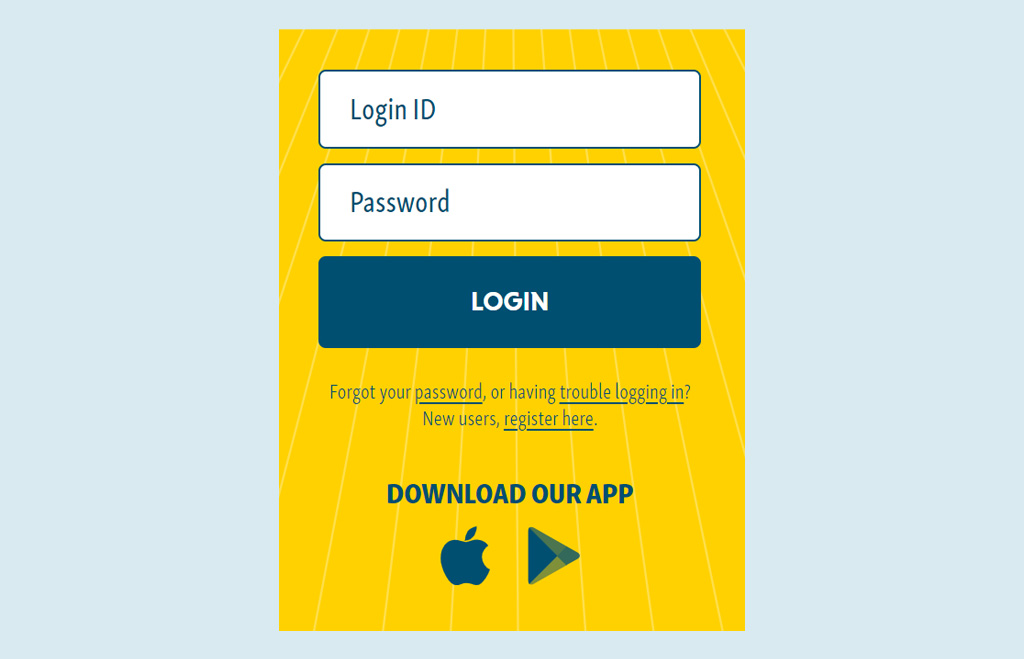
Log into your Climb Online or Mobile Banking account.
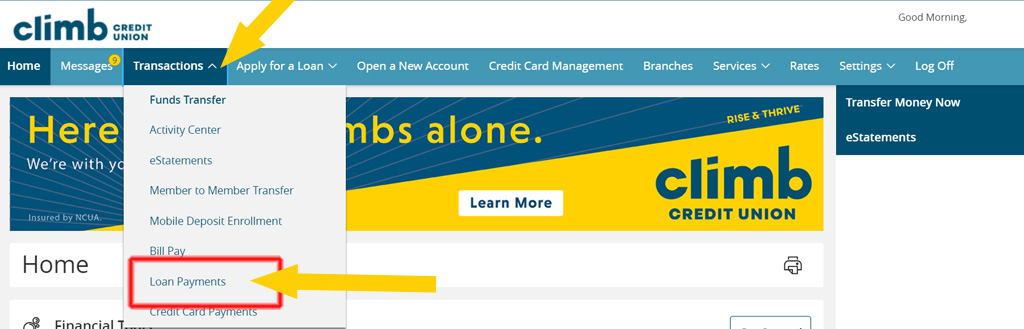
From the Home screen, under Transactions, click on Loan Payments.
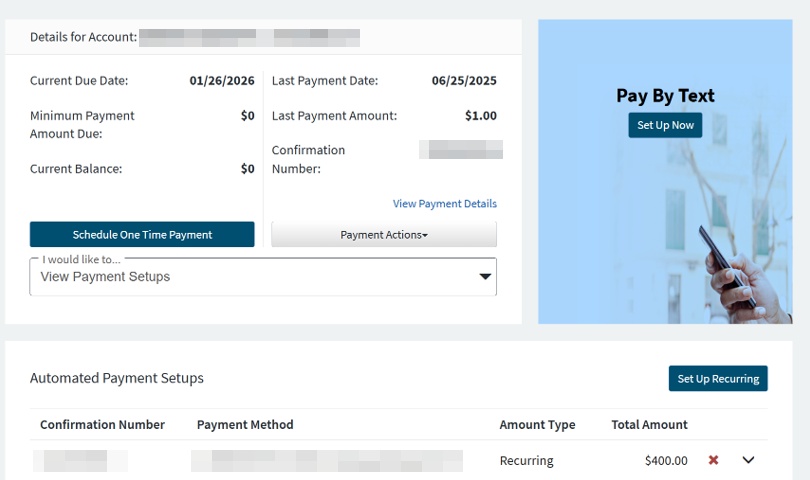
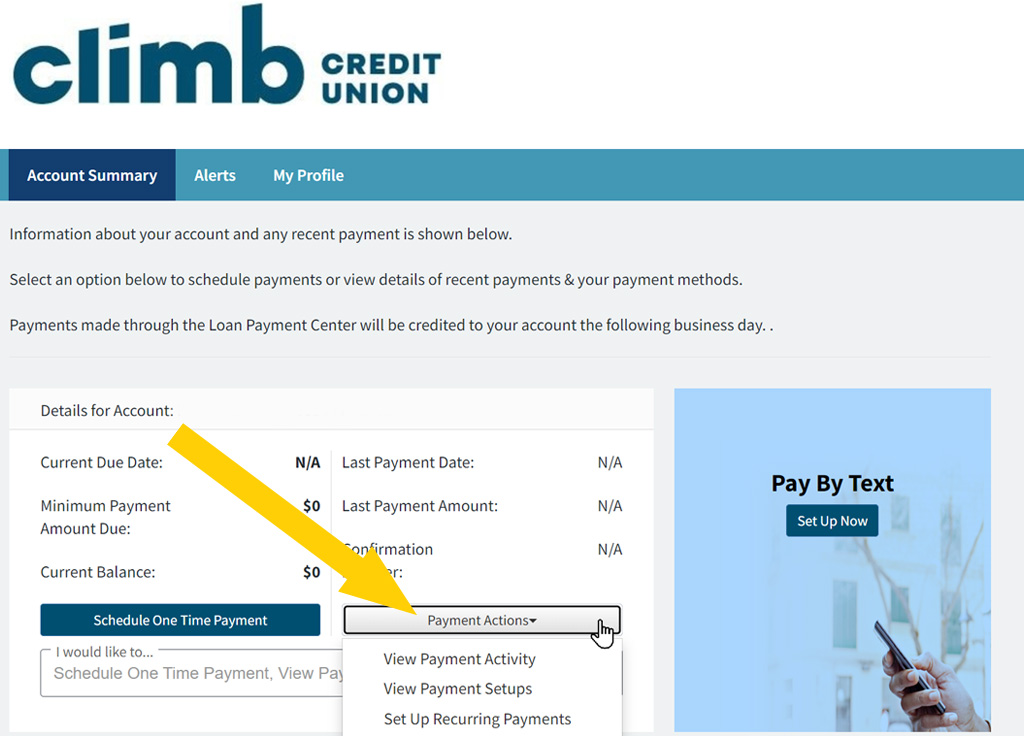
Select Payment Actions.
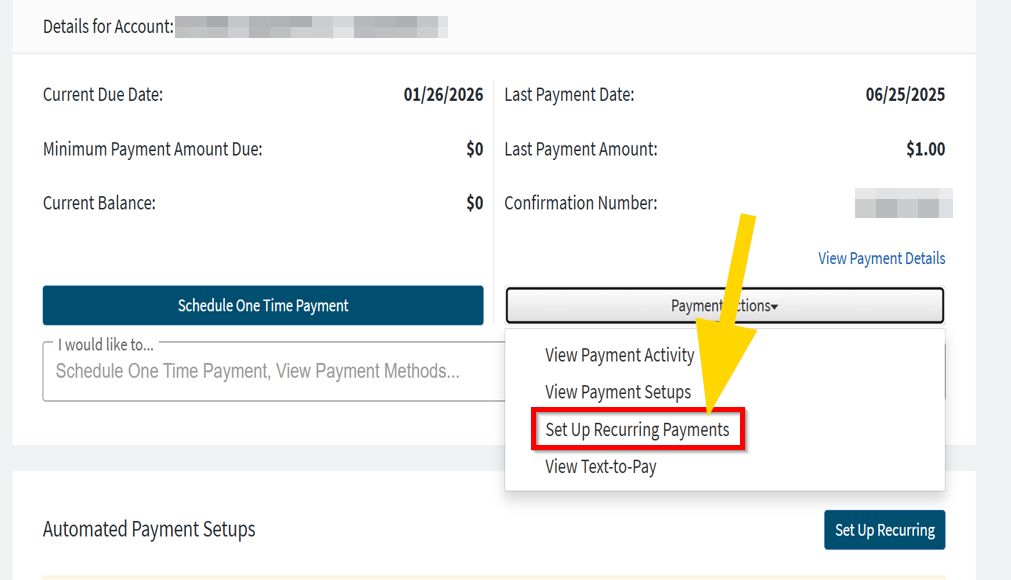
Select Set Up Recurring Payments from the drop-down menu.
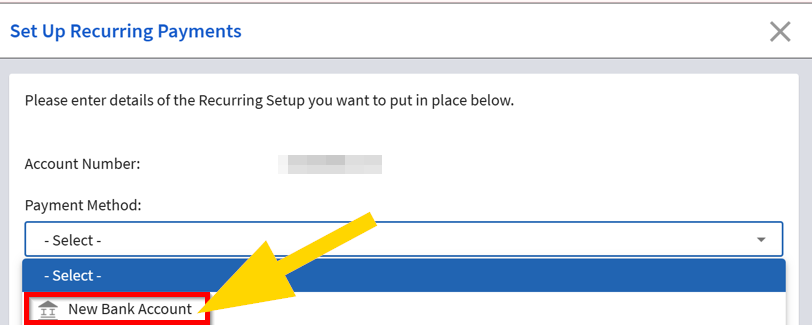
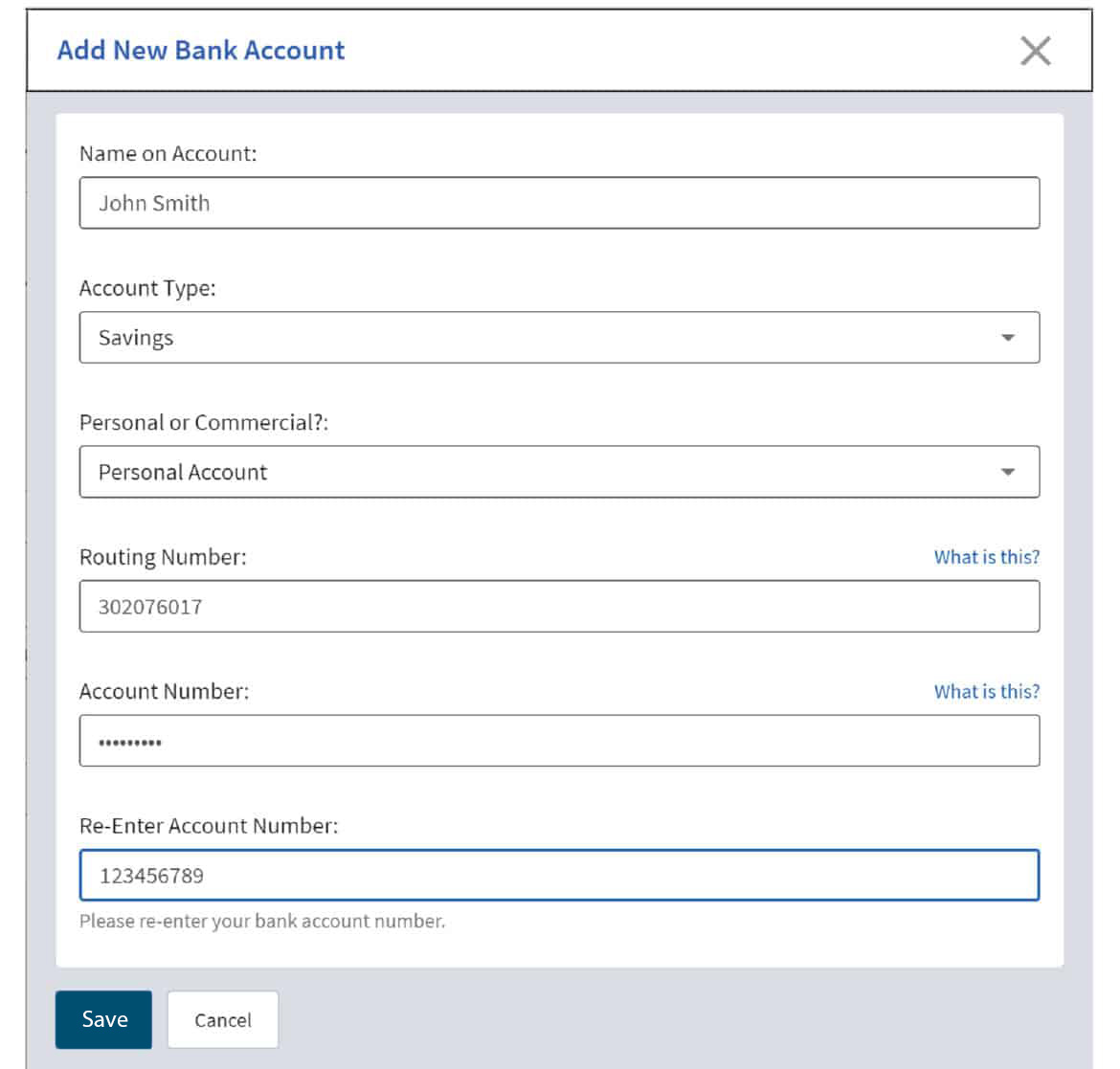
Select Payment Method and add a New Bank Account.
Enter the Bank Account details and click Save.
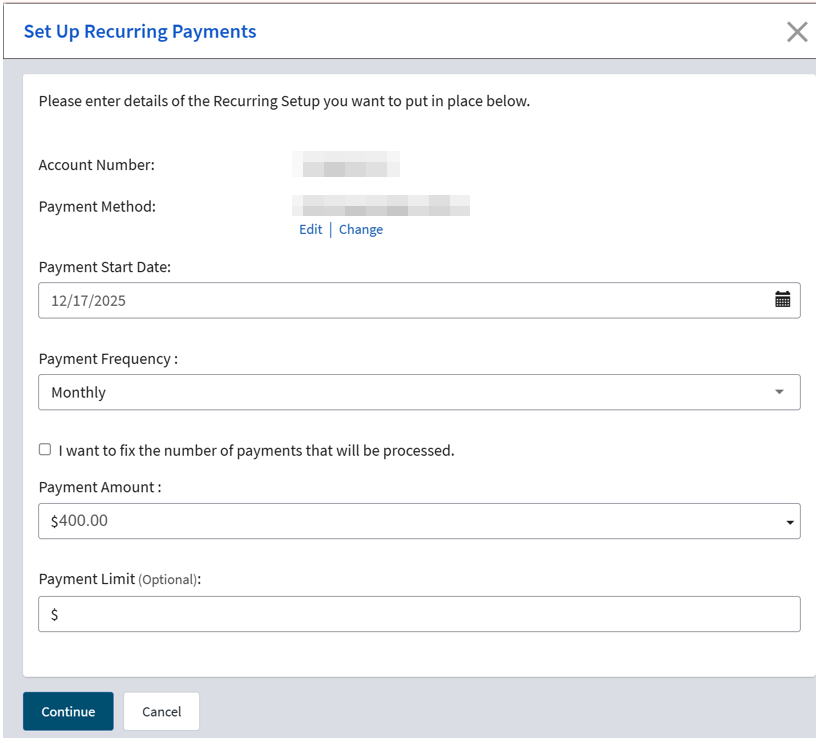
Enter the Payment Start Date, Payment Frequency and Payment Amount, then click Continue.
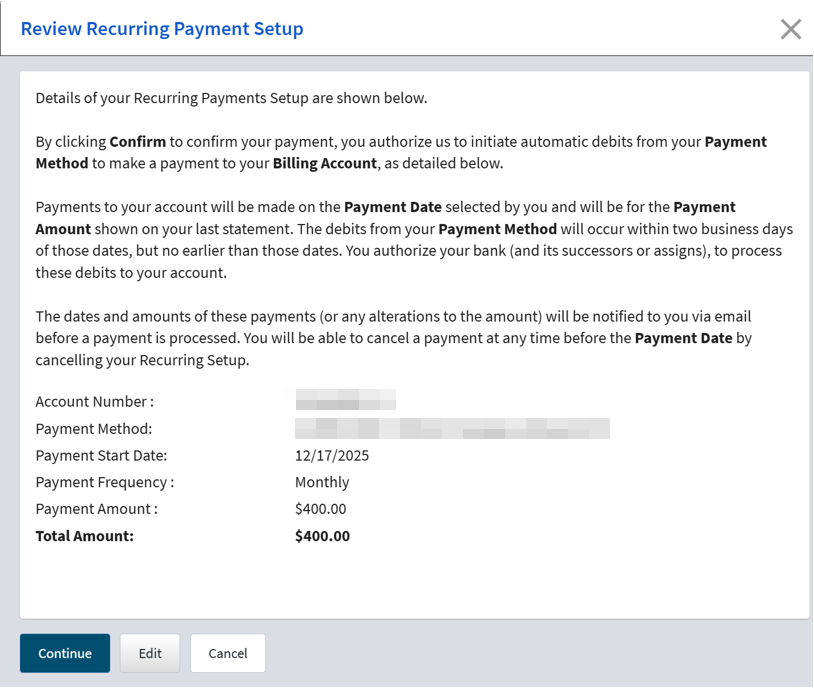
Confirm the payment information, then click Continue.
Success! Your recurring payment has been created!
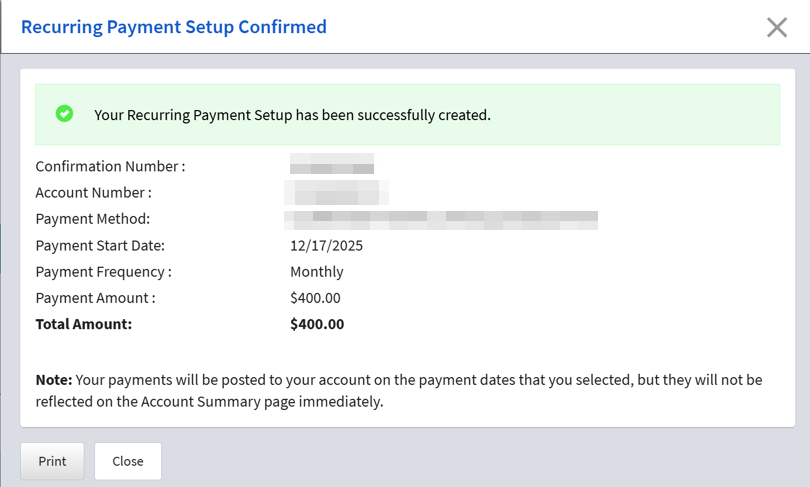
Going forward, this information will be displayed and can be managed using the Payment Actions menu. If you need to cancel a recurring payment, we've got those steps here.